

If you are evaluating SAP Business One for your growing company, one of the first questions that comes up is not about modules or implementation timelines. It is about licensing. Which license type do you actually need for each employee? Why does one user cost more than another? And how do you avoid overspending on licenses your team will never fully use? These are the exact questions this guide answers, using a practical comparison approach that mirrors what SAP partners walk clients through during the sales process.
SAP Business One licensing can feel confusing at first glance because SAP does not sell a single flat rate per user. Instead, it offers a tiered structure built around how much access a person actually needs inside the system. A warehouse clerk scanning barcodes does not need the same access as a controller closing the books, so SAP built its licensing model to reflect that reality. Once you understand the logic behind the tiers, choosing the right mix becomes much simpler.
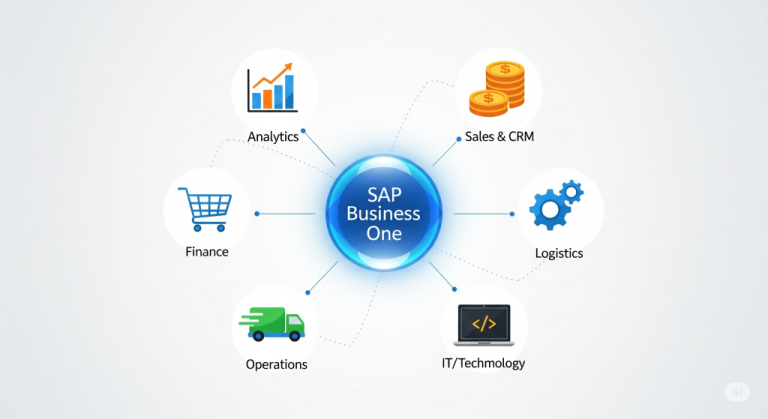
What Is SAP Business One and Why License Types Matter
SAP Business One is an enterprise resource planning system designed for small and midsized businesses. It handles finance, inventory, sales, purchasing, production, and reporting in one connected platform. Unlike spreadsheets or disconnected tools, everything in SAP Business One talks to everything else, which is exactly why the software is popular among manufacturers, distributors, and service companies scaling past their startup phase.
Licensing matters because SAP charges based on user type rather than a single company wide fee. This means the total cost of ownership depends heavily on how well you map your employees to the correct license category. Assign everyone a full Professional license and you will pay far more than necessary. Assign too many people a restricted license and they will hit walls trying to do their jobs. Getting this balance right is one of the most overlooked cost saving opportunities in an SAP Business One rollout.
The Core SAP Business One License Categories
SAP Business One splits its named user licenses into a few main categories, each designed around a specific scope of work.
Professional User License
The Professional User license is the most complete access tier. Users with this license can access every module across finance, sales, purchasing, inventory, production, service, and reporting. This is the license typically assigned to controllers, operations managers, general managers, and anyone who needs cross functional visibility into the business. If someone needs to build custom reports, approve purchase orders, manage the general ledger, and view sales pipelines all in one day, they need a Professional license.
Because this tier unlocks the entire platform, it is also the most expensive per user. Companies sometimes default to giving everyone Professional access simply because it is the safest choice, but that habit quietly inflates licensing costs year over year.
Limited License Types
This is where most of the cost optimization happens. SAP offers several limited license types that restrict access to specific functional areas while still giving users everything they need to do their job well.
Financial Limited License
Built for accounting staff who handle journal entries, bank reconciliations, accounts payable, and accounts receivable. These users do not need access to production planning or CRM pipelines, so this license keeps their toolset focused and their cost lower than a full Professional seat.
Logistics Limited License
Designed for warehouse coordinators, purchasing assistants, and inventory staff. This license covers goods receipts, delivery documents, inventory transfers, and purchase order creation without opening up financial reporting or sales analytics they do not need.
CRM Sales Limited License
Aimed at sales representatives and account managers who spend their day inside opportunities, quotes, and customer records. This license gives full access to the sales pipeline and customer relationship tools while keeping financial data locked down, which many companies actually prefer for internal controls.
Starter Package Limited License
For very small teams or early stage deployments, SAP also offers a Starter Package option bundled with a limited number of users at a reduced entry cost. This is common among companies piloting the platform before scaling to a full deployment across multiple departments.
Indirect Access Considerations
One area that trips up a lot of businesses is indirect access, sometimes called B1i or integration licensing. If external systems, ecommerce platforms, or third party applications are pulling or pushing data into SAP Business One without a human directly logging in, that access may still require licensing depending on volume and how SAP classifies the integration. This is worth discussing directly with your SAP partner before go live, since indirect access rules have shifted over the years and vary by region.
SAP Business One License Comparison Chart
Here is a simplified breakdown to help you visualize how the tiers stack up against each other.
Professional User License
Full access to all modules
Best for management, controllers, and power users
Highest cost per seat
Financial Limited License
Focused on accounting and finance functions
Best for bookkeepers and finance staff
Mid range cost
Logistics Limited License
Focused on inventory, purchasing, and warehouse operations
Best for warehouse and procurement teams
Mid range cost
CRM Sales Limited License
Focused on sales pipeline and customer management
Best for sales representatives and account managers
Mid range cost
Starter Package
Small bundle covering multiple limited functions
Best for early stage or small teams
Lower entry cost
Looking at this chart, the pattern becomes clear. SAP is not trying to make licensing complicated for the sake of it. It is trying to match cost to actual usage, which benefits companies willing to put in a little planning upfront.
How to Choose the Right License Mix for Your Team
The best approach is to map out every employee who will touch the system and ask a simple question for each one. What do they actually need to do inside SAP Business One on a normal day? Not what might be nice to have, but what their role genuinely requires.
Start with a role by role audit. List every department, then list the specific SAP functions each role touches. A shipping coordinator who only creates delivery documents and checks stock levels almost never needs a Professional license. A controller who reviews financial statements, approves journal entries, and pulls custom reports almost always does.
Next, group similar roles together. If you have five warehouse staff doing nearly identical tasks, they likely all fit the same Logistics Limited license. This grouping exercise often reveals that a company needs far fewer Professional licenses than initially assumed.
Finally, revisit this mapping every twelve months. Roles evolve, responsibilities shift, and new hires often get assigned licenses based on what a departing employee had rather than what the new role actually requires. A periodic license audit keeps costs aligned with real usage instead of historical habit.
Common Licensing Mistakes Businesses Make
Over the years, a few licensing mistakes show up again and again during SAP Business One implementations.
The first is defaulting everyone to Professional out of caution. It feels safer, but it is rarely necessary and it inflates the annual maintenance bill significantly since maintenance fees are typically calculated as a percentage of license cost.
The second is underestimating indirect access. Companies connecting an ecommerce store, a third party shipping tool, or a custom API integration sometimes assume this traffic falls outside licensing scope. It often does not, and discovering this during an audit rather than during planning creates unnecessary stress.
The third mistake is ignoring seasonal or temporary staff. Some businesses bring on extra warehouse help during peak season and either buy full licenses they only need for a few months or skip licensing them altogether, which creates compliance gaps. SAP partners can often help structure temporary access more efficiently than either extreme.
The fourth is failing to revisit the license mix after a company grows. What worked for fifteen employees does not always work for sixty. Departments split, new roles emerge, and the original license allocation from year one quietly becomes outdated.
Tips to Optimize Your SAP Business One License Costs
A few practical habits go a long way toward keeping licensing costs under control without sacrificing functionality.
Work with your SAP partner during the discovery phase rather than after go live. Partners who specialize in SAP Business One have seen dozens of license configurations across similar industries and can usually spot inefficiencies before they become expensive.
Use the system’s built in authorization settings to fine tune access within a license type. Sometimes the issue is not the license tier itself but overly broad permissions granted within it. Tightening permissions can reduce risk without requiring a license upgrade.
Track actual usage data periodically. Most SAP Business One partners can pull reports showing which modules each user actually touches. If someone with a Professional license never opens production or service modules, that is a strong signal they could move to a limited license without losing functionality.
Consolidate similar roles into shared license pools where SAP’s licensing rules allow it, particularly for occasional users who log in only a few times a week rather than daily.
Finally, build license planning into your annual budget review rather than treating it as a one time decision made during implementation. Businesses that treat licensing as a living part of their SAP strategy consistently spend less over time than those who set it once and forget about it.
Final Thoughts
SAP Business One’s tiered licensing model exists to align cost with actual system usage, and once you understand the logic behind Professional, Financial, Logistics, CRM Sales, and Starter Package licenses, the decision making process becomes far less intimidating. The comparison chart above gives you a quick reference point, but the real value comes from doing an honest role by role audit of your team and revisiting that audit as your company grows. Companies that treat SAP Business One licensing as an ongoing strategic decision rather than a one time checkbox consistently get more value out of their investment and avoid the budget surprises that catch so many first time implementations off guard.